Every WordPress blog must have a database to store all its data (posts, comments, settings and so on). WordPress uses the MySQL database. Usually the database is stored locally ob the web server of the blog. In some cases one would want to have the database installed elsewhere for many reasons (loads, capacity, backups). This is where Amazon RDS kicks in.
What is Amazon RDS?
Amazon Relational Database Service (Amazon RDS) is a web service that makes it easy to set up, operate, and scale a relational database in the cloud. That means that you can have your MySQL database operate on Amazon’s cloud computers located all over the world. Just like they say:
Amazon RDS gives you access to the full capabilities of a familiar MySQL database. This means the code, applications, and tools you already use today with your existing MySQL databases work seamlessly with Amazon RDS. Amazon RDS automatically patches the database software and backs up your database, storing the backups for a user-defined retention period. You also benefit from the flexibility of being able to scale the compute resources or storage capacity associated with your relational database instance via a single API call.
According to Amazon there is no need to make any changes to your application in order to use Amazon RDS. Well, at least for WordPress and WordPress-MU they are right.
A standard WordPress installation, using Amazon RDS, is located at WordPressRDS.com and a WordPress-MU (the kind of WordPress that wordpress.com uses) is located at mu.WordPressRDS.com. I will keep this installation alive for a few days and then take it down since the use of Amazon RDS is not free.
If you would like to help me finance this demo please consider a donation via PayPal.
Amazon RDS is charged by the hour + storage + I/O requests and in and out data transfer (see full pricing). The smallest database instance you can get is with 1.7GB RAM with the cost of 0.11$ per hour. If you run a full month it sums up to about 82$/month. The next level is a huge jump to a large instance of 7.5GB RAM with the cost of 0.44$ per hour (~330$/month). However, for those who are seeking a multi-db solution for WordPress MU may consider testing two or three small instances.
So lets get started!
The first thing you will have to do is setup an Amazon RDS instance. If you don’t have an account with Amazon you should creat an AWS account. Once you have an account you may signup for Amazon RDS.
To set up the RDS instance read some of the resources available. If you use WordPress you probably would start with the PHP sample code. I may give specific code samples at a later time but you will have to use the following APIs (in this order):
- CreateDBSecurityGroup – setup a database security group.
- AuthorizeDBSecurityGroupIngress – authorize access from your servers IP for the above group.
- CreateDBInstance – set up the instance and first database (including root user, password and database name).
If all goes well you may check the instance using the DescribeDBInstances API call and look for the ‘Status‘ field making sure it is in ‘Available‘ state. In the results of this call you will also see the unique host name of the database. Amazon calls it ‘endpoint address‘. If you got it your are done!
Now setup WordPress (or WordPress Mu)
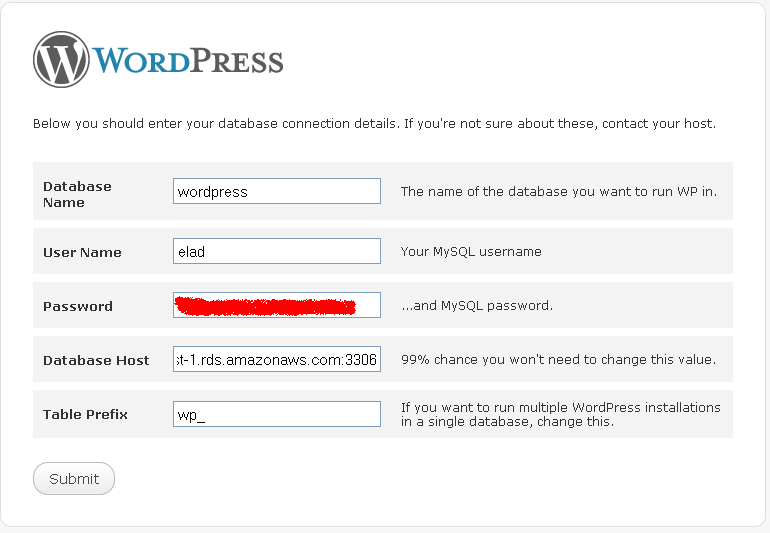
The final step is to run a regular setup of WordPress (or WordPress MU). You are probably familiar with the setup screen (click on the image to enlarge):
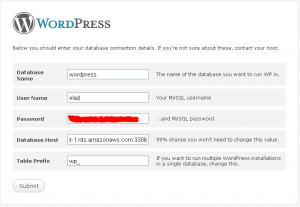
See the ‘DataBase Host‘ field? That is where the ‘endpoint address‘ goes. I guess this is one of those other 1% cases. Now just continue the installation as usual.
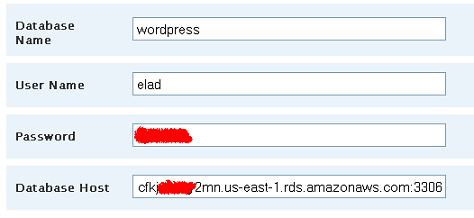
A WordPress MU installation is just the same:
I have installed WordPress and WordPress-MU on Amazon RDS at WordPressRDS.com. Check it out and please consider a donation via PayPal to keep these installation running.