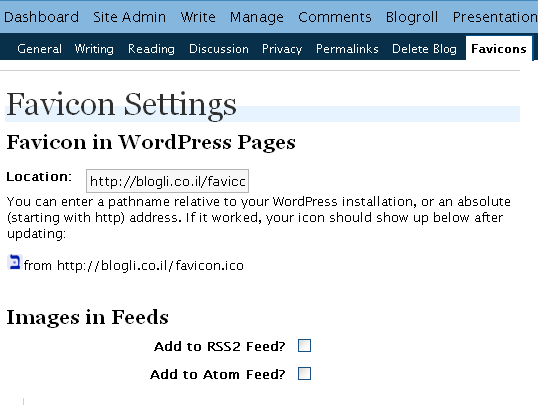
After a little testing it seems that the Favicon Manager WordPress Plugin from Digital Ramble works just fine with WordPress-MU.
You are probably familiar with the default favicon that comes with WordPress-MU –
. This plugin allows each user to set his own favicon via the Options page.
Did you find this post interesting? Please subscribe to my feed.
Comments 4
Thanks for the write-up. It works great.
I put in on the site I am building now:
http://www.chimpsimple.net
Posted 11 Nov 2007 at 6:34 pm ¶I installed your plugin on a wordpress 2.3.1 site, but the icon does not appear in the address bar, tabs, and status bars.
Please advise.
Thanks,
Posted 22 Nov 2007 at 7:20 am ¶Howard
Howard, and your site is?
Please note that I’m not the plugin developer. See the post for details.
Posted 22 Nov 2007 at 7:34 am ¶I’m now working on this plugin. It has some disadvantages – it checks mime-type with the preg (i can rename a bad js there and the browser is vulnerable there.
Posted 30 Oct 2008 at 1:46 pm ¶Trackbacks & Pingbacks 1
[...] trouvé le plug-in favicon Digital ramble grâce à cet article de Ring Of Blog ; Simple à installer et configurer, il rempli très bien son [...]
Post a Comment